



LIVE
Speed Baccarat Room
Check the table-room context, device requirements and available table controls before opening the streamed baccarat area from the casino lobby.
aslihoki puts Speed Baccarat Room, Aviator Mobile Play, slots and sportsbook markets behind one clear account path.
Access is available only where local law permits.
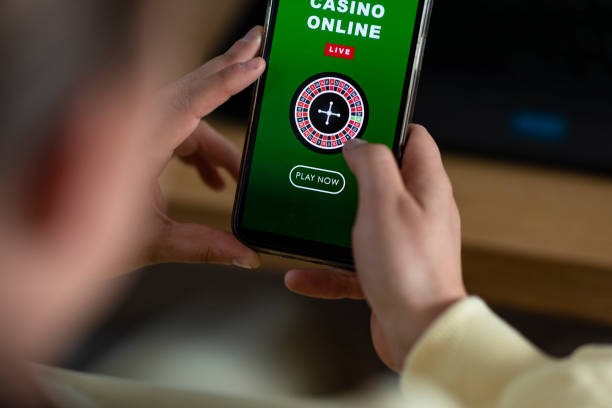
Our home lobby places casino rooms, slot search, live tables and arcade choices beside the account and wallet controls you use most.
Pragmatic Play, PG Soft and Habanero appear beside other recognised studios, with each title opening through the same casino category path.
DANA and QRIS appear as direct local choices in our cashier, while OVO and GoPay show their current wallet status before you confirm a transfer.
Useful home links should answer a specific question rather than hide behind broad labels.
Check the table-room context, device requirements and available table controls before opening the streamed baccarat area from the casino lobby.

See how Aviator fits the mobile lobby and where its game panel appears after phone verification and account access.

Read the arcade room description, control layout and device behaviour before moving from the home categories into Fishing War Arcade.

Inspect handicap market labels and selection status while using the sportsbook path that also carries football, badminton and basketball choices.
A clear phone-verification step gets you from the home page to your account without login confusion.
Start from the account entry on our home page, provide the requested details and complete phone verification before account access becomes available.
Use an active Indonesian mobile number and keep your account name consistent with the DANA, OVO, GoPay or bank account you intend to use.
After access, browse slots, Speed Baccarat Room, live roulette, Dragon Tiger, blackjack, Fishing War Arcade and football, badminton or basketball markets.
Keep credentials private, use the phone-verification path we provide and contact support when an unfamiliar login attempt or account detail appears.
When login or wallet status stalls, start from the support link beside the account and cashier paths. Live chat handles active page questions, while email suits receipt attachments and requests that need a written record. The mobile help route preserves the same categories on smaller screens. Include your transaction reference, payment rail and visible status, but never send your password or verification code.
Open chat from the home support area for login, game-loading or wallet-status questions; the availability indicator appears before you begin.
Use email when attaching a DANA, QRIS or bank transfer receipt, and include the account reference plus the status shown.
Tap the help entry from the mobile menu to reach account, cashier and game categories without leaving the browser path.
The mobile home page runs in your phone browser and follows one path from login to lobby, game search and cashier status.
Phone verification comes before account access, giving your login path a clear ownership check.
A single home page gives you a clearer route than piecing together account steps, game names and cashier details from unrelated sources.
Game data can differ by title, studio and game mode, so we do not apply one figure to the entire home lobby.
Check the individual studio panel for any displayed RTP value, paylines and feature rules.
Open the title rules to understand round timing, controls and result presentation.
Use the streamed table panel for rules, limits and recorded shoe results.
Read the table variant and rule set before placing a selection.
Check the control description and title-specific scoring shown inside the game.
Our browser-based home path serves supported regions in Indonesia, including access from Jakarta, where local connectivity and device settings can affect loading. Choose the correct regional account path, keep your Indonesian mobile number available for verification and use DANA, OVO, GoPay or QRIS only when displayed in your cashier. Access depends on local law, and the available games or sports markets can vary by account location.
The strongest home elements are the ones you can use immediately: an account entry, mobile game search, local wallet chips, live-table access, sportsbook categories and a…
The account route explains phone verification before access, helping you avoid confusion between account creation and returning login screens.
Search sits beside the slot categories on smaller screens, reducing the steps between login and a recognised studio title.
DANA, OVO, GoPay and QRIS labels point toward the cashier where you can check current availability and transaction status.
Baccarat, roulette, Dragon Tiger and blackjack context sits beside slots, keeping streamed dealer rooms within the main casino path.
Football, badminton and basketball markets have clear sportsbook routes, with selection status displayed on the relevant event screen.
Chat, email and mobile help entries remain close to account and cashier areas when a login, receipt or wallet check stalls.
These answers cover the questions most closely tied to our home page: account access, lobby contents, mobile behaviour, local wallets, regional availability and support. Check the live account or cashier screen for status that can change, because this page explains the path rather than replacing transaction records. Where local law permits, you can use one account across the available casino and sportsbook areas.
Start with the account entry, complete phone verification and open the category row that matches what you want to inspect.
Choose the account entry, provide accurate details and finish the phone check before moving into the full lobby.
Use casino, slots, live tables, arcade or sportsbook tabs instead of searching through unrelated account screens.
Select only a displayed DANA, OVO, GoPay, QRIS, virtual account or bank transfer route and verify its details.
Save the transaction reference and visible status when contacting chat or email about a cashier or account delay.